Prepare a bill of materials (BOM) for a request for quotation (RFQ) by making the file and every quoted line unambiguous. At file level, record the BOM ID, revision, release date, and owner. Each purchasable item should identify the manufacturer, full manufacturer part number (MPN), requested quantity and unit, sourcing rule, and any documentation or packaging requirement that affects the quote.
A tidy-looking spreadsheet can still be unsafe to quote. Excel may alter a product code, two rows may use different quantity logic, or a red fill may be the only sign that a component needs engineering review. A quote-ready BOM replaces those hidden assumptions with explicit data.
The BOM is ready when two suppliers can read the file and reach the same requirement without guessing what a blank field, color, or comment means.
Quick answer
To clean a BOM before RFQ, freeze the correct revision, protect identifier columns as text, and make the purchasing requirement explicit on every line. Then check the file for missing or altered data before upload.
Use this minimum sequence:
Label the BOM revision and release date.
Confirm the manufacturer and complete orderable MPN, including meaningful suffixes.
Separate MPNs from internal part numbers and supplier SKUs.
State the total quantity requested and explain any quantity-per-assembly calculation.
Mark approved alternates, DNP/DNI items, customer-supplied parts, and exact-MPN-only lines in dedicated columns.
Flag lifecycle, compliance, date-code, packaging, and documentation requirements that affect sourcing.
Remove hidden instructions, merged cells, unstable formulas, and formatting that an upload tool may not read.
Do not fill gaps with guesses. Label an unresolved line for clarification or engineering review. A clean BOM does not guarantee stock, pricing, or lead time; it gives suppliers a consistent basis for confirming them through RFQ.
What makes a BOM quote-ready?
A BOM is quote-ready when every recipient sees the same purchasing requirement. It need not contain every possible sourcing field. It must identify the part, quantity, approval boundary, and current revision without supplier inference.
Use these five acceptance checks:
| Check | Quote-ready condition |
|---|
| Identity | The manufacturer and full orderable MPN identify the component. Internal part numbers and supplier SKUs are separate. |
| Quantity | The requested quantity and unit are explicit. Quantity per assembly and build quantity are separate when they are used to calculate the total. |
| Approval | Exact-MPN, approved-alternate, engineering-review, customer-supplied, and do-not-quote lines are distinguishable without color coding. |
| Revision | The file has a BOM ID, revision, release date, and owner. The recipient can tell whether an older copy has been superseded. |
| Evidence | Any lifecycle, compliance, date-code, packaging, inspection, or document requirement is written as a field or note. |
The IPC-2581C table of contents defines separate Bom, Avl (Approved Vendor List), and HistoryRec elements. Most component RFQs do not require an IPC-2581 file. For RFQ cleanup, keep identity, approval, and revision data in distinct fields.
Cleaning the spreadsheet is only the preparation step. If you also need a broader line-by-line review of shortage exposure, use NTCHIP's guide to BOM sourcing and electronic component shortage risk.
Required and conditional BOM fields
Keep two data layers separate. BOM-level metadata controls the file and revision. Line-item fields identify what the supplier should quote. Add conditional fields only when they change what may be quoted or accepted.
Required BOM-level metadata
| Field | What to enter | Why it matters |
|---|
| BOM or project ID | A stable name or internal identifier | Keeps the quote attached to the correct project |
| Revision | The released revision, not a supplier email or quote revision | Distinguishes the current requirement from an older BOM |
| Release date | The date this BOM revision was released | Supports version review and superseded-file control |
| BOM owner | The person or role that can resolve file-level questions | Gives the supplier and internal team one clarification path |
Required line-item fields
| Field | What to enter | Why it matters |
|---|
| Line or item number | A unique, stable row identifier | Lets the buyer and supplier discuss the same line without relying on spreadsheet row numbers |
| Manufacturer | The requested or approved component manufacturer | Prevents a brand, supplier, and manufacturer from being treated as the same entity |
| Full manufacturer part number | The complete orderable MPN, with verified suffixes | Identifies the purchasable component more precisely than a generic description |
| Description or value | A plain description used as a cross-check | Helps reveal a part-number or row-mapping error; it does not replace the MPN |
| Total RFQ quantity | The quantity to quote for this request | Gives each supplier the same commercial basis |
| Unit | Pieces, reels, trays, kits, or another defined unit | Prevents a quantity from being interpreted against the wrong unit |
| Sourcing status | Ready to quote, exact MPN only, approved alternate allowed, engineering review required, customer supplied, or do not quote | Makes the approval boundary machine-readable and visible |
Conditional fields
| Field | Add it when | Safe handling |
|---|
| Internal part number | Your company uses an IPN to control drawings, revisions, or ERP records | Keep it in its own column; do not use it as the only purchasable identifier |
| Supplier SKU | A catalog or supplier code helps trace an earlier purchase | Treat it as a reference, not as a silent substitute for manufacturer + MPN |
| Quantity per assembly and build quantity | The total is calculated from a production build | Keep both inputs and add a separate total requested quantity |
| Reference designators | The BOM belongs to a PCB or assembly | Reconcile the count with quantity per assembly and mark fitted versus DNP/DNI items |
| Package or footprint | The MPN is incomplete, the package is design-critical, or the field helps cross-check CAD data | Verify it against released design data and the manufacturer's documentation |
| Approved alternate manufacturer and MPN | Engineering has already approved another exact orderable part | Put each manufacturer/MPN pair in dedicated fields; do not write only "or equivalent" |
| Target date | Schedule affects the sourcing decision | State the requested date without assuming the supplier can meet it |
| Lifecycle status, check date, and source | A line may be NRND, last-time-buy, obsolete, or otherwise risky | Record the manufacturer-reported status and when it was checked |
| RoHS/REACH or other compliance evidence | The target market, customer, or product requires it | State the applicable requirement and request current evidence for the exact MPN |
| Date code, lot, packaging, or traceability requirement | Quality or receiving criteria depend on it | Define the acceptable evidence or condition before quote review |
| COC, COA, test report, or other document | A controlled document is part of acceptance | Define documentation requirements before RFQ instead of assuming every source can provide every record |
| Owner and next action | A line is incomplete or needs approval | Name who must resolve it and what evidence is needed |
Keep the three part-number types separate
| Identifier | Who controls it | How to use it in an RFQ |
|---|
| Manufacturer part number (MPN) | Component manufacturer | Primary purchasing identifier; include the complete orderable code |
| Internal part number (IPN) | Your organization | Trace the requirement to ERP, PLM, drawing, or design records |
| Supplier SKU | Distributor or supplier | Optional catalog reference; confirm the underlying manufacturer and MPN |
Copyable RFQ BOM header
For a flat component-sourcing CSV, this minimum header keeps the file metadata and line-item requirement in one table:
bom_id,revision,release_date,bom_owner,line_id,manufacturer,full_mpn,description,total_rfq_qty,unit,sourcing_status
Use the extended header when alternates, assembly quantities, lifecycle, compliance, or document requirements affect the quote:
bom_id,revision,release_date,bom_owner,line_id,internal_part_number,manufacturer,full_mpn,description,package_or_footprint,quantity_per_assembly,build_quantity,total_rfq_qty,unit,reference_designators,fitted_status,sourcing_status,approved_alternate_manufacturer,approved_alternate_mpn,target_date,lifecycle_status,lifecycle_checked_date,lifecycle_source,compliance_requirement,date_code_lot_packaging_requirement,documentation_requirement,line_owner_next_action,notes
Supplier-specific templates may use different names or split file-level metadata from line data. Map the fields deliberately rather than dropping the revision or approval status during upload.
Do not add columns merely because a template contains them. Every populated field should either identify the item, define the quantity, control approval, or state an acceptance requirement.
If the RFQ also covers PCB assembly, ask the assembler which fabrication, placement, drawing, programming, and test files it requires. Those files are outside a component-only BOM upload and vary by supplier.
How to clean a BOM in 12 steps
Start with file control, then check line-item data and the final export. This order reduces the chance of cleaning the wrong revision or damaging an identifier while fixing the spreadsheet.
1. Freeze the RFQ revision
Export the released BOM into a separate RFQ file. Record the BOM or project ID, revision, release date, file owner, and a short change summary. Put the ID and revision in the filename.
If a new revision supersedes a file already sent to suppliers, issue it as a clear replacement. Do not overwrite the old file silently or rely on an email timestamp to identify the current requirement.
2. Build one clear data table
Keep one header row and one main line-item table. Each row should represent one separately purchasable requirement; each column should have one meaning. Move cover notes, revision history, and long instructions to separate, plainly named tabs when they would disrupt the import table.
Remove decorative title rows from the dataset. Use unique headers such as Manufacturer, Full MPN, and Total RFQ Qty, not repeated headers such as Part Number 1, Part Number 2, or two columns both called Notes.
3. Protect identifier columns before editing
Set MPN, internal part number, supplier SKU, and any code-like field to text before pasting, importing, or running cleanup functions. Microsoft explains that Excel can convert strings to dates, remove leading zeros, convert values containing E to scientific notation, and truncate numerical data beyond 15 digits.
Use Microsoft's guidance on automatic date conversion and its instructions for keeping leading zeros and large product codes. Formatting the column after a value has already changed may not restore the original identifier. Recheck against the source system or manufacturer record.
4. Verify the manufacturer and complete MPN
Confirm the manufacturer and the full orderable MPN on each line. Preserve suffixes unless the manufacturer's current documentation shows that they are not part of the ordering code. A suffix may distinguish package, temperature range, qualification, packing method, or another orderable option.
If the BOM contains only a family name, generic value, partial code, or distributor listing title, do not expand it from memory. Mark the line Engineering review required or Buyer clarification required and identify the missing field.
Use the description, value, package, and footprint as cross-checks. If those fields conflict with the MPN or datasheet, stop the line from being quoted until the owner resolves the mismatch.
5. Separate MPN, supplier SKU, and internal part number
Put each identifier in its own column. The manufacturer MPN identifies the orderable component. An internal part number connects the line to your PLM, ERP, drawing, or approval record. A supplier SKU identifies a catalog entry or prior source.
Do not rename a mixed Part Number column and assume the data is clean. Sample the values, identify which numbering system each value belongs to, and move them only after you can verify the mapping.
6. Reconcile the quantity logic
State the total quantity requested for the RFQ. If the total comes from an assembly calculation, keep the inputs visible:
quantity per assembly × number of assemblies = base component demand
Add a separate overage field only when the buyer has approved an allowance. Do not make the supplier infer attrition, reel quantities, MOQ, or price-break quantities from the production forecast.
Check the unit on every non-piece item. A quantity of 10 can mean ten pieces, ten reels, ten trays, or ten kits. Keep prototype demand, production demand, annual forecast, and optional price breaks in separate fields or clearly labeled scenarios.
7. Mark fitted, DNP/DNI, and customer-supplied lines
Use a text status for every line that is not a normal supplier-sourced component. Common states include Fitted, DNP/DNI, Customer supplied, Supplier sourced, and Do not quote.
If reference designators are present, reconcile their count with quantity per assembly. Do not leave a DNP component in the quote quantity because its row was hidden, struck through, or shaded gray. Do not remove a customer-supplied line if it still affects assembly planning; mark the sourcing responsibility instead.
8. Review duplicates before merging
Do not use "Remove Duplicates" on the MPN column alone. Two lines may share an MPN but have different approved manufacturers, packaging, date-code limits, documentation requirements, customer ownership, or project allocation.
Merge lines only after these fields match:
manufacturer and full MPN;
requested unit and packaging rule;
sourcing and alternate status;
lifecycle or compliance requirement;
date-code, lot, traceability, and document requirements;
target date or project allocation, if those affect the quote.
When a safe merge is possible, sum the requested quantities and preserve the original line or reference-designator mapping. When it is not, keep separate rows.
9. Separate approved alternates from suggestions
List each approved alternate as an exact manufacturer and full MPN pair. Identify who approved it and, where useful, the approval record or revision. Replace vague entries such as or equal, compatible, or any brand with an explicit rule.
A search result or cross-reference is a candidate, not an approved substitute. Altium's manufacturer-part documentation, for example, warns that alternative confidence data cannot guarantee replacement accuracy and recommends datasheet verification before implementation.
Engineering should compare the datasheet, package, pinout, electrical limits, thermal behavior, qualification needs, firmware or timing impact, and application requirements as relevant. Procurement should not approve a replacement by editing the BOM alone.
10. Add lifecycle, compliance, and evidence flags
Record lifecycle information as status + source + date checked, not as an undated color or unsupported label. Manufacturer terminology and policies vary. TI's product life-cycle page, for example, uses Preview, Active, NRND, Last Time Buy, and Obsolete for TI products. Do not apply those definitions to every manufacturer.
Use NTCHIP's guide to check each component's lifecycle status when a BOM contains old or uncertain records.
For compliance-sensitive requests, state the target market or customer requirement and ask for current evidence for the exact orderable MPN. The European Commission's RoHS page explains the EU restrictions and scope. The ECHA Candidate List is a current source for REACH SVHC review. A generic or old Compliant: Yes cell should not replace part-specific evidence or a product-level regulatory assessment.
11. Remove hidden spreadsheet logic
Critical instructions should survive export, upload, filtering, and copy-paste. Replace merged cells, fill colors, strikethrough, comments, conditional formatting, and hidden rows when they carry purchasing meaning. Put that meaning in a status or notes field.
Convert unstable formulas to reviewed values in the RFQ copy, but preserve the controlled source workbook separately. Check for external links, named ranges, macros, stale pivot outputs, filters that hide lines, and old worksheets that could be mistaken for the current BOM.
Trim leading and trailing spaces. Remove nonprinting characters where safe, then compare the result to the source. Do not run broad substitutions across MPNs unless you can prove that the changed character is invalid.
12. Read the file as the supplier
Open the saved RFQ file rather than reviewing only the source workbook. Filter every sourcing status. Count blank required fields. Sort by manufacturer and MPN to spot near-duplicates. Sample-check orderable codes against current manufacturer information. Recalculate quantity totals and verify the revision in both the filename and worksheet.
Ask whether another supplier could quote a different component or quantity without contradicting the file. If so, the BOM still contains an assumption that should be made explicit.
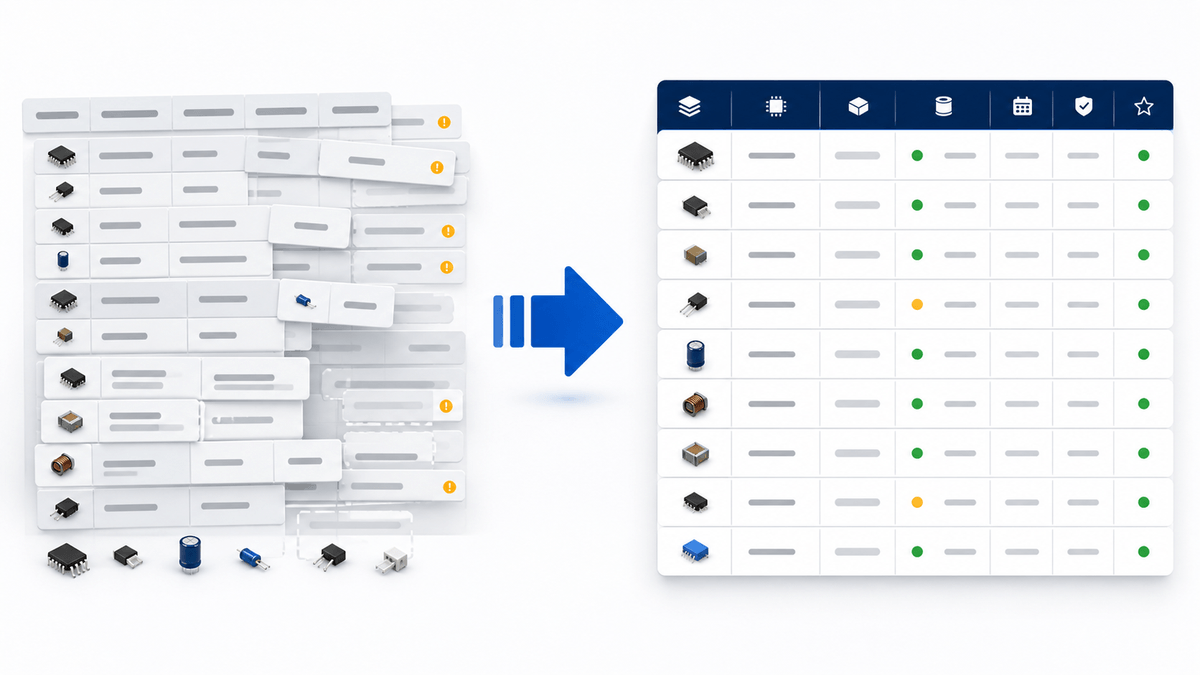
Before-and-after BOM cleanup example
Cleanup should turn implied meaning into explicit data. This example uses placeholders so it cannot be mistaken for a real component or an approved replacement.
| Field | Before cleanup | After cleanup | Why the change matters |
|---|
| Line ID | Blank | A-014 | Gives buyer and supplier a stable reference |
| Manufacturer | Blank | [approved manufacturer] | Separates the maker from a distributor or internal brand name |
| Separates the maker from a distributor or internal brand name |
|
|
|
| MPN | [partial code] | [complete orderable MPN with verified suffix] | Removes ambiguity about the exact component |
| Internal PN | Mixed into the MPN column | [internal PN] in its own column | Preserves internal traceability without replacing the MPN |
| Description | controller | [plain description cross-checked to released design data] | Helps expose a row-mapping or identifier error |
| Quantity | 500 | Qty/assembly: 2; assemblies: 250; base demand: 500; total RFQ qty: 500 pcs | Defines the calculation and unit |
| Alternate | or equivalent | Exact MPN only or a separate approved manufacturer + MPN pair | Prevents silent substitution |
| Lifecycle | Green fill | [manufacturer-reported status]; checked YYYY-MM-DD; source URL | Converts visual shorthand into reviewable data |
| Sourcing status | Blank | Engineering review required | Stops an unresolved line from entering the normal quote set |
| Notes | Cell comment | [specific missing evidence or decision, owner, and next action] | Keeps the instruction visible after export or upload |
Recalculate the quantity after cleanup. If one assembly uses two pieces and the RFQ covers 250 assemblies, the base demand is 500 pieces. If the buyer intentionally adds overage, record the approved overage and final RFQ quantity separately. Do not let a supplier infer the allowance from an annual forecast or round the demand to a pack size before quoting.
The cleaned row may still be incomplete. That is acceptable when the status says what remains open. Engineering review required: confirm full MPN suffix is safer than a polished row that contains a guessed suffix.
How to handle unresolved and high-risk lines
Keep difficult lines in the BOM, but move them out of the normal quote lane until the open decision is clear. Deleting an incomplete, obsolete, or customer-supplied line can hide work that the project still needs.
| Status | Use it when | Next action |
|---|
| Ready to quote | Manufacturer, full MPN, quantity, unit, and sourcing rule are complete | Include in the RFQ quote set |
| Exact MPN only | No alternate is approved | Quote only the stated manufacturer and full MPN |
| Approved alternate allowed | Engineering or the applicable approval process has approved named alternates | List each approved manufacturer and MPN pair |
| Engineering review required | The MPN, suffix, package, specification, or replacement decision is unresolved | Name the owner, missing evidence, and due date |
| Customer supplied | The line remains part of the build but is not supplier-sourced | Keep the build quantity visible and mark the line outside the supplier quote scope |
| DNP/DNI | The item is not fitted in the released assembly configuration | Retain the configuration status and state separately whether the line belongs in the supplier quote scope |
| Do not quote | The buyer has explicitly excluded the line from this supplier quotation | Keep the exclusion visible and record the reason or owner when needed |
Do not change an obsolete or last-time-buy line to DNP simply to make the upload clean. The component may still be required for an installed design, repair, or controlled legacy build. Preserve the exact original requirement, flag the lifecycle risk, and use the appropriate approval path. NTCHIP's guide explains how to source obsolete electronic components safely without treating a cross-reference as automatic compatibility.
For every open line, add three items: owner, evidence needed, and next action. That turns an incomplete row into controlled work instead of an invisible assumption.
Spreadsheet and file-format errors to catch
ss="md-end-block">
| MPN | [partial code] | [complete orderable MPN with verified suffix] | Removes ambiguity about the exact component |
| Internal PN | Mixed into the MPN column | [internal PN] in its own column | Preserves internal traceability without replacing the MPN |
| Description | controller | [plain description cross-checked to released design data] | Helps expose a row-mapping or identifier error |
| Quantity | 500 | Qty/assembly: 2; assemblies: 250; base demand: 500; total RFQ qty: 500 pcs | Defines the calculation and unit |
| Alternate | or equivalent | Exact MPN only or a separate approved manufacturer + MPN pair | Prevents silent substitution |
| Lifecycle | Green fill | [manufacturer-reported status]; checked YYYY-MM-DD; source URL | Converts visual shorthand into reviewable data |
| Sourcing status | Blank | Engineering review required | Stops an unresolved line from entering the normal quote set |
| Notes | Cell comment | [specific missing evidence or decision, owner, and next action] | Keeps the instruction visible after export or upload |
Recalculate the quantity after cleanup. If one assembly uses two pieces and the RFQ covers 250 assemblies, the base demand is 500 pieces. If the buyer intentionally adds overage, record the approved overage and final RFQ quantity separately. Do not let a supplier infer the allowance from an annual forecast or round the demand to a pack size before quoting.
The cleaned row may still be incomplete. That is acceptable when the status says what remains open. Engineering review required: confirm full MPN suffix is safer than a polished row that contains a guessed suffix.
How to handle unresolved and high-risk lines
Keep difficult lines in the BOM, but move them out of the normal quote lane until the open decision is clear. Deleting an incomplete, obsolete, or customer-supplied line can hide work that the project still needs.
| Status | Use it when | Next action |
|---|
| Ready to quote | Manufacturer, full MPN, quantity, unit, and sourcing rule are complete | Include in the RFQ quote set |
| Exact MPN only | No alternate is approved | Quote only the stated manufacturer and full MPN |
| Approved alternate allowed | Engineering or the applicable approval process has approved named alternates | List each approved manufacturer and MPN pair |
| Engineering review required | The MPN, suffix, package, specification, or replacement decision is unresolved | Name the owner, missing evidence, and due date |
| Customer supplied | The line remains part of the build but is not supplier-sourced | Keep the build quantity visible and mark the line outside the supplier quote scope |
| DNP/DNI | The item is not fitted in the released assembly configuration | Retain the configuration status and state separately whether the line belongs in the supplier quote scope |
| Do not quote | The buyer has explicitly excluded the line from this supplier quotation | Keep the exclusion visible and record the reason or owner when needed |
Do not change an obsolete or last-time-buy line to DNP simply to make the upload clean. The component may still be required for an installed design, repair, or controlled legacy build. Preserve the exact original requirement, flag the lifecycle risk, and use the appropriate approval path. NTCHIP's guide explains how to source obsolete electronic components safely without treating a cross-reference as automatic compatibility.
For every open line, add three items: owner, evidence needed, and next action. That turns an incomplete row into controlled work instead of an invisible assumption.
Spreadsheet and file-format errors to catch
| Merged cells or multi-row headers | An import tool may shift fields into the wrong columns | Use one row of unique, plain headers |
| Color, strikethrough, or comments carry instructions | Meaning can disappear after export or upload | Move the instruction into a status or notes field |
| Mixed units or quantity scenarios | Suppliers may quote different demand | Label units and separate prototype, production, forecast, and price-break quantities |
| Old tabs remain in the workbook | A recipient may quote a superseded sheet | Remove ambiguity from the RFQ copy and identify the current tab clearly |
| Duplicate or blank line IDs | Clarifications and quote comparisons can map to the wrong row | Assign a unique, stable line ID |
| CSV delimiter or character damage | Text may shift columns or change characters | Reopen the exported CSV in a clean import flow and check row/column counts |
Avoid broad search-and-replace operations on MPNs. Hyphens, slashes, spaces, plus signs, and case may carry manufacturer-specific meaning. Normalize only when the source proves the change is correct.
File templates, accepted columns, size limits, overage rules, and supporting documents vary by supplier and RFQ scope. Confirm the recipient's current requirements before upload. If the request also covers PCB assembly, confirm whether placement, fabrication, drawing, programming, or test files are required in addition to the BOM.
Final pre-upload checklist
Before sharing a confidential BOM
A BOM can expose product architecture, sourcing strategy, volumes, and internal identifiers. Apply your organization's information-security, NDA, customer, and export-control rules before sending it.
Confirm the intended recipient and use a transfer channel your organization has approved.
Share only the BOM fields and supporting files needed for the RFQ scope.
Remove internal costs, unrelated design notes, hidden metadata, and links to internal systems.
Keep the released source unchanged and retain the exact revision that was sent.
Confirm any access, retention, or onward-sharing requirement with the recipient before transmission.
These are buyer-side controls, not a claim about any recipient's security or confidentiality capability.
Pre-upload checks
Run the checklist against the saved upload file. A checked source workbook is not enough if the exported copy has changed.
The filename, worksheet, and header show the correct BOM ID, revision, and release date.
Every quoted line has a unique line ID, manufacturer, full MPN, total RFQ quantity, and unit.
MPN, internal PN, and supplier SKU appear in separate columns.
Identifier columns remain text after the file is closed and reopened.
Quantity per assembly, build quantity, overage, forecast, and total RFQ quantity are not mixed.
DNP/DNI, customer-supplied, exact-MPN-only, and do-not-quote lines have explicit statuses.
Duplicate lines were reviewed against all purchasing constraints before any merge.
Approved alternates list exact manufacturer + MPN pairs and the approval boundary is clear.
Unresolved lines name the owner, missing evidence, and next action.
Lifecycle, compliance, date-code, packaging, traceability, and document requirements are current and specific where required.
Hidden rows, active filters, merged cells, unstable formulas, external links, and old tabs cannot change the quote set.
The exported file was reopened and checked for row count, column alignment, quantities, and visible instructions.
Before upload, remove confidential fields that are unrelated to sourcing, such as internal cost models or unrelated project notes. Keep the information needed to identify the component, quantity, revision, approval rule, and acceptance requirement.
Once the file passes these checks, upload your cleaned BOM for RFQ. Include the target date and any line-level sourcing or documentation constraints. Availability, pricing, and lead time should be confirmed through the quotation.
FAQ
What information should a BOM include for an RFQ?
A component RFQ should include the BOM or project revision, line ID, manufacturer, full MPN, description, total requested quantity, unit, and sourcing status. Add package, reference designators, approved alternates, target date, lifecycle status, compliance evidence, date-code, packaging, traceability, or document requirements when they affect what may be quoted or accepted.
What file format should I use for a BOM quotation?
Use a structured format that the recipient currently accepts, commonly XLSX or CSV, and keep one clear line-item table. Reopen the exported file before upload to check identifiers, rows, columns, formulas, and quantities. Confirm current file-type and size requirements on the recipient's RFQ page because platform rules can change.
Can I request a quote without complete manufacturer part numbers?
You can submit an incomplete line for clarification, but do not present it as quote-ready. Mark the line Buyer clarification required or Engineering review required, preserve the known description and design context, and state which manufacturer or suffix information is missing. A supplier cannot safely infer an exact component from a generic description alone.
Should duplicate BOM lines be removed?
Remove or merge duplicate lines only after confirming that the manufacturer, full MPN, unit, packaging, sourcing rule, approved alternates, project allocation, and acceptance requirements match. If any purchasing constraint differs, keep separate rows. When rows can be merged, sum the quantities and preserve the original reference mapping.
How should approved alternates appear in a BOM?
List every approved alternate as a named manufacturer and complete MPN pair. Keep approved parts separate from supplier suggestions or cross-reference candidates. Engineering and any applicable quality or customer approval process should verify the datasheet, package, pinout, ratings, and application requirements before an alternate becomes approved.
How can I stop Excel from changing part numbers?
Format identifier columns as text before entering, pasting, or importing MPNs. Check for date conversion, scientific notation, removed leading zeros, and truncation of long numerical codes. If Excel has already changed a value, restore it from the source record; changing the cell format afterward may not recover the original characters.
Conclusion
A clean BOM gives suppliers one controlled purchasing requirement. It identifies the manufacturer and full MPN, explains the quantity, separates approved alternates from suggestions, preserves the revision, and makes open risks visible.
Do the final review on the exported file. Protect identifier columns as text, inspect duplicates before merging them, and keep lifecycle, compliance, packaging, and documentation requirements tied to the exact line item. If something is unknown, assign an owner and next action instead of guessing.
When the file is ready, send the BOM with the requested quantities, target date, sourcing statuses, and acceptance requirements. NTCHIP can review the submitted requirement. Available sourcing options, pricing, and lead time should be confirmed through RFQ.